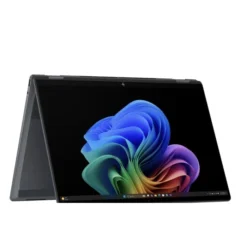
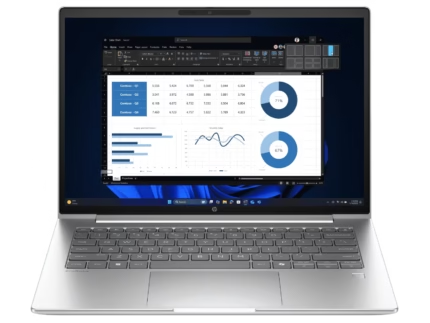
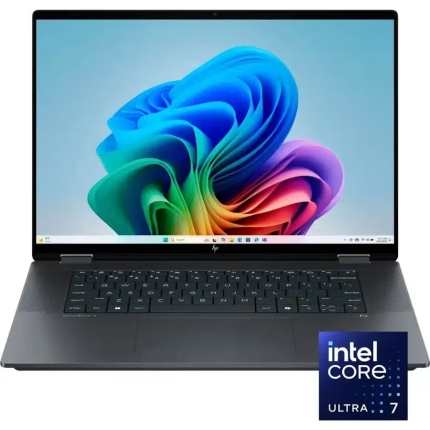
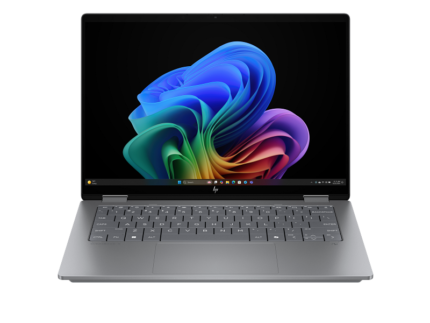
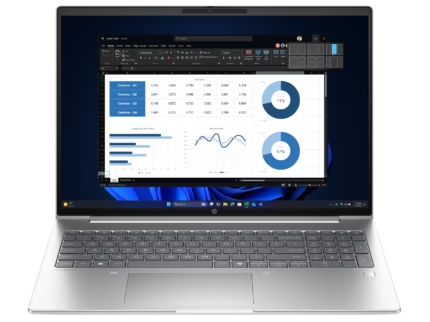
HP ProBook 4G1a 16 inch Notebook AI PC AMD Ryzen 5 230 ,16″ WUXGA IPS, 16GB DDR5, 512GB SSD AMD Radeo760M Graphics Touch Screen, 1 Year Official Local HP Warranty
Processor : AMD Ryzen™ 5 230 (up to 4.9 GHz max boost clock, 16 MB L3 cache, 6 cores, 12 threads
RAM: 16 GB DDR5-5600
Storage: 512 M.2 2280 PCIe® 4.0×4 NVMe®
Graphic: AMD Radeon 760M Graphics
Display: 16″ Diagonal, WUXGA (1920 x 1200), Touch Screen, IPS, Anti-Glare, 300 nits
Other Features: Bluetooth, Wi-Fi, 5MP IR Camera , Fingerprint Reader
Operating System: Windows 11
Warranty: 1 year local warranty
Product description
HP ProBook 4 G1a 16″ Notebook AI PC — AMD Ryzen 5 230, 16GB DDR5, 512GB SSD, WUXGA Touch
The HP ProBook 4 G1a 16-inch is HP’s 2025 refresh of its large-screen mainstream business notebook, part of the ProBook 4 line that succeeds the older ProBook 450/460 series. This configuration pairs an AMD Ryzen 5 230 (6 cores, 12 threads, Zen 4) with 16 GB DDR5-5600 memory, a 512 GB NVMe SSD, and a 16-inch WUXGA touch display in a 16:10 aspect ratio. It runs Windows 11 Pro, ships with HP Wolf Pro Security Edition (1 year) bundled, and is marketed as an AI PC thanks to a dedicated 16 TOPS NPU on the processor.
It is not a Copilot+ PC — we’ll explain why below and what that means in practice for buyers in Pakistan.
Quick answer: is this the right laptop for you?
Yes, if you want: a large, comfortable 16-inch working display in a 16:10 aspect ratio, Windows 11 Pro, a full keyboard with numeric keypad for spreadsheets and data entry, modern DDR5 memory and NVMe storage, HP’s hardware-level security stack, and a touch screen — all for less than the equivalent EliteBook.
No, if you need: a Copilot+ PC for local AI features like Windows Recall, a colour-accurate display for design or photo work (this panel covers only 62.5% sRGB), a thin-and-light chassis you’ll carry every day (this is a 1.74 kg 16″), or the extra CPU headroom of the 8-core Ryzen 7 250.
At-a-glance specifications
| Category | Detail |
|---|---|
| Model | HP ProBook 4 G1a 16-inch Notebook AI PC |
| Processor | AMD Ryzen 5 230 — 6 cores / 12 threads, 3.5 GHz base, up to 4.9 GHz boost |
| NPU | AMD Ryzen AI — 16 TOPS |
| Graphics | AMD Radeon 760M (integrated, RDNA 3, 8 CUs) |
| RAM | 16 GB DDR5-5600 SO-DIMM, 2 slots (user/IT-upgradeable) |
| Storage | 512 GB PCIe NVMe M.2 SSD; second M.2 slot available |
| Display | 16″ WUXGA (1920 × 1200) IPS touchscreen, 300 nits, 62.5% sRGB, anti-glare, Low Blue Light, 16:10 |
| Camera | 1080p FHD or 5 MP with IR (config-dependent) |
| Audio | Poly Studio-tuned dual stereo speakers, dual-array mic |
| Keyboard | Backlit, spill-resistant, Copilot key, numeric keypad, DuraKeys |
| Wireless | Wi-Fi 6E or Wi-Fi 7 (config-dependent), Bluetooth 5.3/5.4 |
| Ethernet | Gigabit RJ-45 |
| Ports | 2× USB-C 10 Gbps (PD 3.0, DP 1.4), 2× USB-A 5 Gbps, HDMI 2.1, RJ-45, combo audio, security lock |
| Battery | 3-cell 48 Wh or 56 Wh Li-polymer, HP Fast Charge |
| Adapter | 65 W USB-C |
| OS | Windows 11 Pro |
| Security | HP Wolf Pro Security Edition (1 year), TPM, optional IR camera |
| Chassis | 50% recycled aluminum cover; ~1.74 kg |
| Dimensions | 359.4 × 251 × 17 mm |
| Warranty | 1-Year Local Warranty (via Century Computer Systems) |
Price and availability in Pakistan
Price: Rs 320000/-
Delivery: Nationwide delivery across Pakistan; same-day / next-day in Lahore where available
Payment: Bank transfer
Warranty: 1-Year Official Local Warranty
Processor: what to expect from the Ryzen 5 230
The AMD Ryzen 5 230 is a 6-core, 12-thread mobile processor built on TSMC’s 4 nm Zen 4 architecture (AMD’s “Hawk Point” family). It runs at a 3.5 GHz base with up to 4.9 GHz single-core boost, 16 MB of L3 cache, and a default 28 W TDP that OEMs can configure between 15 W and 30 W depending on the chassis.
Being technically honest: the Ryzen 5 230 is a rebrand of the Ryzen 5 8640U launched in 2024. Same silicon, same clocks, same 16 TOPS XDNA-1 NPU. That’s not a bad thing — it’s a well-proven efficient chip — but it’s important to know so you can compare like-for-like.
What that means in practice:
- Fluid multitasking for Microsoft 365, Chrome / Edge with 20–30 tabs, Zoom / Teams calls, and background sync tools
- Comfortable for finance, accounting, data-entry work (spreadsheets, ERP front-ends, POS back-office)
- Capable for programming — VS Code, moderately sized Node.js or Python projects, database work
- Handles 1080p video conferencing, screen sharing, and mixed audio without stress
Where it will struggle: heavy 3D rendering, sustained 4K video editing, large ML training, and modern AAA gaming. If your workload needs more CPU headroom, the Ryzen 7 250 version of the same chassis (8 cores, 16 threads) is a meaningful step up.
The AI PC story — and why this is not a Copilot+ PC
Is the HP ProBook 4 G1a 16 an AI PC? Yes. The Ryzen 5 230 includes a dedicated Neural Processing Unit (AMD Ryzen AI, based on Xilinx XDNA) rated at 16 TOPS.
Is it a Copilot+ PC? No. Microsoft’s Copilot+ PC certification requires an NPU delivering at least 40 TOPS on its own. This laptop’s NPU delivers 16 TOPS. That means on-device Copilot+ features — Windows Recall, Cocreator, Live Captions with translation, enhanced Windows Studio Effects — will not be available on this laptop.
What the NPU still does for you:
- Offloads camera effects (background blur, eye contact, auto-framing) in supported video-conferencing apps, saving CPU and battery
- Accelerates selected on-device AI workloads in applications that support DirectML or ONNX Runtime with NPU acceleration
- Standard cloud-based Copilot in Windows 11 and Microsoft 365 works fully — it does not require the local NPU
If you are specifically buying for Windows Copilot+ features, look at Copilot+ certified machines (HP EliteBook 8 G1a with Ryzen AI 300 series, HP OmniBook Ultra, HP EliteBook X G1i with Core Ultra Series 2). If you want a solid business laptop that also has useful AI acceleration, the ProBook 4 G1a 16 is well positioned.
16-inch display: strengths and honest limits
The WUXGA (1920 × 1200) IPS touch panel in this configuration runs at 300 nits with an anti-glare matte finish, Low Blue Light certification, and a 16:10 aspect ratio. On a 16-inch screen, 16:10 is a genuinely productive shape — you see roughly 4 more rows in Excel and 4–6 more lines of code or document text than a 16:9 panel of the same width.
Strengths:
- Large working area for spreadsheets, dashboards, multiple side-by-side windows, and IDE + browser workflows
- 16:10 aspect ratio removes the need for constant scrolling
- Matte anti-glare stays legible under office lighting and near windows
- Touch adds convenience for pinch-zoom, quick UI interactions, signing documents in place, and casual media
Honest limitations:
- 62.5% sRGB is the entry-level colour tier. If you do graphic design, colour grading, UI/UX, print prep, or product photography, this panel will look flat and inaccurate. HP offers 100% sRGB WUXGA (400 nits) and 2.5K (2560×1600, up to 120 Hz) panels on this chassis, or you can move up to the EliteBook line — either is a better fit for creative work.
- 300 nits is fine indoors but limiting under direct sunlight.
- 60 Hz refresh rate — expected for this class, but worth knowing.
For office, finance, coding, business, education, and general productivity, this display is comfortable and well-suited. For colour-sensitive creative work, it is not.
RAM, storage, and upgradability
- 16 GB DDR5-5600 — enough for typical business multitasking with room to spare. On this 16″ Ryzen 5 230 configuration, HP typically ships the RAM as a single 16 GB module with one free SO-DIMM slot, meaning you can expand to 32 GB by simply adding a second stick (subject to compatibility confirmation with your store). Some configurations ship as 2×8 GB for dual-channel benefits — please confirm at purchase which layout your unit uses.
- 512 GB PCIe NVMe M.2 SSD — fast enough for Windows 11 Pro, Office 365, several development environments, and typical business file storage.
Practical upgradability:
- HP’s own QuickSpecs list both SO-DIMM slots as user/IT-serviceable.
- The chassis has provision for a second M.2 SSD — a real advantage if you want to add bulk storage later without cloning the OS drive.
- Battery is internal and not customer-replaceable — standard for this class in 2025.
If you plan to keep this laptop 4–5 years, consider adding a second 16 GB module and a second SSD in year 2 as needs grow. Ask our team for compatible modules.
Graphics: integrated Radeon 760M
The Ryzen 5 230 includes AMD’s Radeon 760M integrated GPU — 8 RDNA-3 compute units with hardware AV1 encode/decode. It’s the mid-tier RDNA-3 iGPU below the Radeon 780M (12 CUs) found in the Ryzen 7 250 version of this chassis.
What it handles well:
- Multi-monitor productivity — up to four displays via USB-C DisplayPort + HDMI 2.1
- Smooth 1080p / 4K video playback, including AV1 streams
- Light photo editing in Lightroom or Affinity Photo
- Casual gaming at 720p on low settings — esports titles like Valorant, CS2, Dota 2
What it won’t do well:
- Modern AAA gaming at 1080p
- GPU-accelerated 3D rendering, CAD workflows, or ML training
For those, look at HP’s Victus, OMEN, or ZBook lines.
Camera, audio, and video conferencing
The webcam is either 1080p FHD or a 5 MP sensor with IR camera (Windows Hello facial sign-in), depending on the specific configuration. Please confirm which option your unit ships with at purchase — the IR + 5 MP version is a noticeable upgrade for hybrid workers.
Audio uses Poly Studio tuning across dual stereo speakers and a dual-array microphone with AI noise reduction. The larger 16″ chassis has more room for speaker volume than the 14″ model — noticeably better for a small meeting-room laptop that doubles as call audio.
For teams that spend all day in Teams, Zoom, and Google Meet, this is a quietly capable video-conferencing machine.
Ports and connectivity — properly stocked for business
The 16″ chassis carries the same generous port array as the 14″:
| Port | Count | Notes |
|---|---|---|
| USB-C 10 Gbps | 2 | USB Power Delivery 3.0, DisplayPort 1.4 — charge or drive external monitors from either side |
| USB-A 5 Gbps (powered) | 2 | Legacy peripherals, printers, external drives |
| HDMI 2.1 | 1 | 4K external display, no dongle required |
| RJ-45 Gigabit Ethernet | 1 | Genuinely useful in offices still on wired networks |
| Combo audio (3.5 mm) | 1 | Headset with mic |
| Security lock slot | 1 | Kensington-compatible |
Wireless: Wi-Fi 6E (Realtek) or Wi-Fi 7 (MediaTek MT7925) depending on configuration, plus Bluetooth 5.3 or 5.4. Confirm which wireless module your unit ships with if that matters to your deployment — Wi-Fi 7 is future-proof, Wi-Fi 6E is still comfortably ahead of the average office access point.
Battery life and portability
The 56 Wh (or 48 Wh) 3-cell lithium-polymer battery paired with the efficient 6-core Ryzen 5 230 is designed for a full working day of typical office use. HP does not publish a specific hours figure for this exact configuration. Realistic expectations:
- Web + Office + video calls: approximately 8–11 hours at moderate brightness (56 Wh) / 7–9 hours (48 Wh)
- Heavy multitasking + Wi-Fi: approximately 6–8 hours
- Sustained compile / video render: 3–4 hours
The included 65 W USB-C adapter supports HP Fast Charge — approximately 50% charge in 30 minutes on HP’s spec sheet. Because charging is USB-C PD, you can also run off a decent USB-C power bank in a pinch.
About portability: at ~1.74 kg and 17 mm thick, this is a genuine 16″ workstation-style laptop — comfortable on a desk or hybrid setup, but noticeably heavier than the 1.4 kg 14″ version. If you carry your laptop daily on public transport or between offices, choose the 14″; if you sit at a desk with occasional travel, the 16″ pays off in screen real estate.
Build quality, keyboard, and design
The chassis uses aluminum in the cover (HP states 50% post-industrial recycled content), with polymer surfaces elsewhere. Packaging is 100% recycled or certified fiber. The design is understated Pike Silver — professional, restrained, no gaming aesthetics.
The keyboard is the big functional advantage of the 16-inch model over the 14-inch — it includes:
- Full numeric keypad — a real productivity upgrade for finance, accounting, data entry, and inventory work
- Backlit keys with adjustable levels (config-dependent)
- Spill-resistant construction with drainage
- HP DuraKeys wear-resistant coating
- Dedicated Copilot key for quick Windows AI access
- Precision Touchpad with Windows gestures
If you work with numbers all day, this keyboard alone can justify the 16″ model over the 14″.
Security and business features
The ProBook 4 G1a 16 ships with the full HP business security stack:
- HP Wolf Pro Security Edition (1 year) — threat containment, malware isolation, credential protection at hardware/firmware level
- HP Endpoint Security Controller — discrete hardware chip enabling self-healing BIOS
- HP Sure Platform, HP Sure Admin, HP Tamper Lock — HP’s platform-security suite
- TPM (firmware) for hardware-backed encryption and Windows 11 requirements
- Optional IR camera for Windows Hello facial sign-in
- Optional fingerprint reader (config-dependent)
- Windows 11 Pro with BitLocker, Windows Sandbox, and full group-policy management
For IT teams deploying via Microsoft Intune or Endpoint Manager, this laptop drops straight into a managed fleet without extra tooling.
Real-world use cases
Finance, accounting, and data-entry professionals — This is the natural home for the ProBook 4 G1a 16. The full numeric keypad, generous 16″ display area, dual-channel-capable DDR5, and business security stack are exactly what spreadsheet-heavy work needs.
Office managers and administrative staff — Windows 11 Pro, Wolf Security, wired Ethernet, IR sign-in (on supported configs), and enough CPU headroom for the typical 20–30 tab workflow.
Programmers and developers — Comfortable for full-stack web development, mid-size Node/Python/PHP projects, VS Code with heavy extensions, and moderate Docker work. Consider 32 GB if you regularly run multiple containers or virtual machines.
Students in Pakistan (business, CS, engineering, finance) — A capable four-year purchase for most programs. The touch screen helps with handwritten notes using a compatible stylus, and the large display is great for study PDFs and coursework.
Hybrid workers who dock at a desk — 16″ display for at-home productivity plus the option to close the lid and take it to the office; two USB-C PD ports for single-cable docking.
Video-conferencing users — Poly Studio audio and (on IR configs) a 5 MP camera are above average for daily calls.
Creative professionals — Not this configuration. The 62.5% sRGB display isn’t colour-accurate enough for design or photo work. HP offers a 100% sRGB (400 nits) or 2.5K panel on the same chassis if you must stay with ProBook, or step up to EliteBook / ZBook.
Gamers — Not this laptop. Look at HP Victus or OMEN.
Who should buy the HP ProBook 4 G1a 16
- Finance, accounting, and admin staff who need a numeric keypad and a large screen
- SMB and mid-market IT teams deploying Windows 11 Pro fleets
- Business users who prefer a desk-class 16″ display for productivity
- Freelancers and consultants who want business-grade reliability without EliteBook prices
- Students in business, engineering, or CS looking for a 3–5 year purchase
Who should not buy the HP ProBook 4 G1a 16
- Anyone specifically buying for Copilot+ PC features — the 16 TOPS NPU falls short
- Graphic designers, video editors, photographers — the 62.5% sRGB panel is a hard limit
- Daily commuters who want a light laptop — 1.74 kg + 16″ is not a lightweight
- Buyers whose workload really needs 8 cores/16 threads — consider the Ryzen 7 250 version
- Gamers, 3D artists, CAD users — no discrete GPU
- Users who need Thunderbolt — this platform tops out at USB-C 10 Gbps
Pros and cons
Pros
- Large 16″ WUXGA 16:10 touch display — comfortable for full-day work
- Full numeric keypad — a genuine advantage for spreadsheet-heavy roles
- 6-core / 12-thread Ryzen 5 230 with 16 TOPS NPU
- 16 GB DDR5-5600 and 512 GB NVMe SSD with room for expansion (2nd M.2 slot)
- Full port array including HDMI 2.1, Gigabit Ethernet, dual USB-C PD
- HP Wolf Pro Security bundled (1 year)
- HP Fast Charge via 65 W USB-C
- 50% recycled aluminum cover — real, verifiable sustainability data
- Windows 11 Pro for business/IT management
Cons
- Not a Copilot+ PC despite the “AI PC” label
- 62.5% sRGB display not suitable for creative work
- Ryzen 5 230 is effectively a rebrand of the 2024 Ryzen 5 8640U
- Radeon 760M is a step below the 780M in the Ryzen 7 250 model
- No Thunderbolt
- Heavier than the 14″ version — 1.74 kg
- 300 nits brightness is below premium business tier
Comparison with close alternatives
| Model | CPU | GPU | NPU | Display | Best for |
|---|---|---|---|---|---|
| HP ProBook 4 G1a 16 (this — Ryzen 5 230) | 6C/12T Zen 4 | Radeon 760M | 16 TOPS (Not Copilot+) | 16″ WUXGA touch, 62.5% sRGB | Office, finance, admin, students |
| HP ProBook 4 G1a 16 — Ryzen 7 250 | 8C/16T Zen 4 | Radeon 780M | 16 TOPS (Not Copilot+) | 16″ WUXGA (touch optional) | Same chassis, more CPU headroom |
| HP ProBook 4 G1a 14 — Ryzen 7 250 | 8C/16T Zen 4 | Radeon 780M | 16 TOPS (Not Copilot+) | 14″ WUXGA touch | Portability + performance |
| HP ProBook 4 G1i 16 (Intel) | Core Ultra 5/7 Series 2 | Intel Arc | 13 TOPS (Not Copilot+) | 16″ WUXGA | Intel vPro standardisation |
| HP EliteBook 8 G1a 16 | Ryzen AI 7 350 (Zen 5) | Radeon 860M | 50 TOPS ✅ Copilot+ | Brighter, 100% sRGB options | Premium buyers wanting Copilot+ |
| Lenovo ThinkPad L16 Gen 1 | Core Ultra 7 155U | Intel Graphics | 10–13 TOPS | 16″ WUXGA | ThinkPad keyboard loyalists |
Bottom line: Within the ProBook 4 line, the choice comes down to (a) screen size, (b) CPU tier, and (c) budget. This Ryzen 5 230 configuration is the mainstream office/finance pick — solid, well-equipped, and priced below the Ryzen 7 versions. If your workload genuinely needs 8 cores, choose the Ryzen 7 250 variant. If Copilot+ features matter, look at the EliteBook 8 G1a.
Warranty, delivery, and buying from Century Computer Systems
- Warranty: 1-Year Local Warranty, supported through Century Computer Systems
- Delivery: Nationwide delivery across Pakistan; same-day / next-day in Lahore where stock allows
- Payment: bank transfer
- Physical location: Lahore, Pakistan
- After-sales: Direct assistance for warranty claims, driver/BIOS support, and hardware queries
Why buy this laptop from Century Computer Systems
Established in 1999, Century Computer Systems brings more than 27 years of experience in Pakistan’s computer hardware industry. Based in Lahore, we supply genuine HP laptops and computer hardware to businesses, resellers, tender contractors, NGOs, corporate buyers, and individual customers across Pakistan.
Buying from an established local supplier means: a physical business you can visit or call, verified product configurations, warranty support you can actually reach, quotation and procurement help for organizational orders, and honest configuration advice — we help you match the laptop to your actual workload rather than pushing you toward the most expensive option.
Frequently asked questions
Is the HP ProBook 4 G1a 16 a Copilot+ PC?
No. Its NPU delivers 16 TOPS, and Microsoft’s Copilot+ PC certification requires an NPU with at least 40 TOPS. It is classified as an AI PC and supports NPU-accelerated features in compatible apps, but Windows Copilot+ exclusive features like Recall and Cocreator are not available.
Is the AMD Ryzen 5 230 the same as the Ryzen 5 8640U?
Effectively, yes. AMD’s specifications match — same 6 Zen 4 cores, same clocks, same 16 MB L3 cache, same 16 TOPS NPU. The Ryzen 5 230 is a 2025 rebrand of the 2024 Hawk Point chip.
How does the Ryzen 5 230 compare to the Ryzen 7 250?
The Ryzen 7 250 has 8 cores/16 threads (vs 6/12), a slightly higher 5.1 GHz boost (vs 4.9), and the stronger Radeon 780M iGPU (12 CUs vs 8). For heavy multitasking, development work, or occasional light content creation, the Ryzen 7 250 is the better pick. For office, finance, admin, and general study/business use, the Ryzen 5 230 is very capable and easier on the wallet.
Is 16 GB RAM enough for this laptop?
For office work, browsing, video calls, and most programming — yes. For running multiple virtual machines, Docker with many containers, or heavy data-science workloads, consider adding a second 16 GB stick to reach 32 GB.
Can I upgrade the RAM myself?
Both SO-DIMM slots are physically accessible per HP’s QuickSpecs. On many Ryzen 5 230 configurations one slot is free, making a 32 GB upgrade as simple as adding a second module. On configurations that ship 2×8 GB, upgrading means replacing modules. Please confirm the exact layout at purchase, and note that DIY upgrades may affect certain warranty conditions — our team can advise or handle the upgrade for you.
Can I add a second SSD?
Yes. The chassis has a second M.2 slot, so you can keep the 512 GB drive as your OS/apps disk and add a second SSD for data.
Does the display support graphic design or photo editing?
No. This panel covers 62.5% sRGB — fine for office and general use, not colour-accurate enough for professional design, photo, or video work. HP offers higher-tier 100% sRGB (400 nits) and 2.5K panels on the same chassis, and the EliteBook line is a better fit for creative professionals.
Does it have Thunderbolt?
No. The two USB-C ports run at 10 Gbps with USB Power Delivery 3.0 and DisplayPort 1.4. They are not Thunderbolt.
Does it have Windows Hello facial sign-in?
Depends on your configuration. Units with the 5 MP + IR camera support Windows Hello face unlock. The 1080p FHD-only camera version does not, but a fingerprint reader is available on many configs as an alternative. Please confirm which camera your specific unit ships with.
How long does the battery last?
HP doesn’t publish an exact figure. On the 56 Wh option, expect roughly 8–11 hours of typical office use; on the 48 Wh option, roughly 7–9 hours. HP Fast Charge delivers approximately 50% in 30 minutes.
What ports does the HP ProBook 4 G1a 16 have?
Two USB-C 10 Gbps ports (PD 3.0, DP 1.4), two powered USB-A 5 Gbps ports, one HDMI 2.1, one Gigabit RJ-45 Ethernet, a 3.5 mm combo audio jack, and a security lock slot.
Does it come with an antivirus?
Yes — HP Wolf Pro Security Edition is bundled for 1 year and includes threat containment, malware isolation, and credential protection at the hardware/firmware level.
Is it heavier than the 14″ ProBook 4 G1a?
Yes — approximately 1.74 kg for the 16-inch vs 1.4 kg for the 14-inch. If daily portability matters more than screen size, consider the 14-inch.
Where can I buy it in Pakistan?
Directly from Century Computer Systems, Lahore — with 1-year local warranty and nationwide delivery. Call, WhatsApp, or use the enquiry form above to confirm current stock and price.
Final buying recommendation
The HP ProBook 4 G1a 16″ (Ryzen 5 230 / 16 GB / 512 GB / WUXGA touch) is a sensible, well-balanced 16-inch business laptop for Pakistani buyers who prioritise screen real estate, keyboard comfort, and business-grade security over raw CPU horsepower or Copilot+ features. The full numeric keypad and 16:10 display make it a genuinely productive machine for finance, admin, and any spreadsheet-heavy role. HP’s Wolf Security stack is real value that most Pakistani retailers under-explain.
Two honest cautions: this is not a Copilot+ PC, so buyers chasing Microsoft’s newest on-device AI features should look at the EliteBook 8 G1a with Ryzen AI 300-series; and the 62.5% sRGB display is a real limit for creative work — pick a higher-tier panel or a different line if colour accuracy matters.
For office, business, education, and desk-based hybrid work, this configuration delivers the reliability the ProBook line is known for at a mainstream price. Backed by 1-year local warranty and Century Computer Systems’ 27+ years of hardware experience in Pakistan.
HP ProBook 4G1a 16 inch Notebook AI PC AMD Ryzen 5 230 ,16″ WUXGA IPS, 16GB DDR5, 512GB SSD AMD Radeo760M Graphics Touch Screen, 1 Year Official Local HP Warranty price in Pakistan
HP ProBook 4G1a 16 inch Notebook AI PC AMD Ryzen 5 230 ,16″ WUXGA IPS, 16GB DDR5, 512GB SSD AMD Radeo760M Graphics Touch Screen, 1 Year Official Local HP Warranty is listed by centurycomputerpk.com at Rs. 309,000. It is in stock as of October 24, 2026. The store lists a regular price of Rs. 320,000, a reduction of 3%. At Rs. 309,000, this listing is above the category median (median for Laptops on Asli Products: Rs. 60,000). Browse more Laptops or HP products to compare prices.