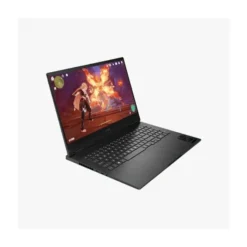
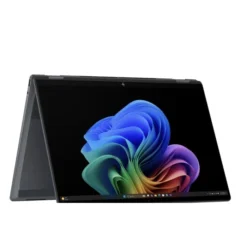
HP EliteBook 16 8G1i, Intel® Core™ Ultra 7 256v Processor, 16GB LPDDR5 Ram, 512GB NVME SSD, 16″ WUXGA (1920 x 1200) Anti-glare Display (300 nits), Backlit Keyboard, Pike silver, 1 Year Official Local HP Warranty
- Processor: Intel® Core™ Ultra 7 256V (up to 4.8 GHz, 8-Core, 47 TOPS NPU)
- RAM: 16GB LPDDR5x RAM (Onboard, Not Upgradeable)
- Storage: 512GB PCIe NVMe SSD
- Graphics: Intel® Arc™ Graphics
- Display: 16″ diagonal, WUXGA (1920 x 1200), 16:10
- AI: Copilot+ PC Ready
- Other Features: Wi-Fi, Bluetooth, 5MP Camera, Fingerprint Reader (Optional)
- Operating System: Windows 11
- Warranty: 01 Year Local Warranty
Product description
HP EliteBook 8G1i 16″ Next Gen AI PC — Intel Core Ultra 7 256V, 16GB LPDDR5x, 512GB SSD (Copilot+ PC)
The HP EliteBook 8 G1i 16 inch Next Gen AI PC is a 16-inch business laptop built on Intel’s Lunar Lake platform. This configuration pairs the Intel Core Ultra 7 256V processor — 8 cores, Intel Arc 140V graphics and a 47 TOPS Intel AI Boost NPU — with 16 GB of LPDDR5x-8533 memory and a 512 GB PCIe Gen4 NVMe SSD, in a chassis that starts at 1.77 kg.
It qualifies as a Copilot+ PC, it carries Thunderbolt 4, Wi-Fi 7 and HP Wolf Security for Business, and it is aimed squarely at professionals who want a large screen, all-day battery and enterprise-grade protection rather than raw multi-core horsepower.
At a glance
| What it is | 16-inch business laptop / Copilot+ PC |
| Processor | Intel Core Ultra 7 256V — 8 cores, 8 threads, up to 4.8 GHz |
| AI | Intel AI Boost NPU, 47 TOPS — Copilot+ PC eligible |
| Memory | 16 GB LPDDR5x-8533, on-package, not upgradeable |
| Storage | 512 GB PCIe Gen4 x4 NVMe M.2 SSD |
| Display | 16″ WUXGA (1920 × 1200) IPS, 16:10, anti-glare — panel varies by configuration |
| Graphics | Intel Arc Graphics 140V (integrated) |
| Battery | 62 Wh, fast charge to 50% in ~30 minutes |
| Weight | From 1.77 kg (excluding adapter) |
| Best for | Office and management work, hybrid/remote work, finance and reporting, consultants, sales, students on long-form document work |
| Not for | Heavy code compilation, virtual machines, 3D work, colour-critical design, gaming, anyone who will need 32 GB later |
This article is available at Century Computer Systems Pakistan
Price: 435000/-
Delivery: Nationwide (Pakistan)
Oper. ting system as supplied: Windows 11 Pro
Warranty: 1 year HP official local warranty
Delivery: Nationwide (Pakistan)
Payment methods: bank transfer
Enquiries: 0321-9444922, LG 6 Hafeez Centre, Lahore.
One thing worth confirming before you order anywhere in Pakistan: which operating system the unit actually ships with. Some import channels bring this model in with FreeDOS rather than Windows 11 Pro. That distinction matters here more than usual, because Copilot+ features only exist on Windows 11 — a DOS unit is the same hardware with none of the AI software layer until Windows is licensed and installed.
Full specifications
| Specification | Detail |
|---|---|
| Brand | HP |
| Series | HP EliteBook 8 G1i |
| Full model name | HP EliteBook 8 G1i 16 inch Notebook Next Gen AI PC |
| Processor | Intel Core Ultra 7 256V (Lunar Lake, Core Ultra 200V series) |
| Cores / threads | 8 cores (4 P-cores + 4 LP E-cores) / 8 threads — no Hyper-Threading |
| Max turbo frequency | Up to 4.8 GHz (P-core and E-core); up to 3.7 GHz LP E-core |
| Cache | 12 MB Intel Smart Cache (L3) |
| Processor power | 17 W base, 37 W maximum turbo |
| NPU | Intel AI Boost — 47 TOPS |
| Graphics | Intel Arc Graphics 140V (integrated), up to 1,950 MHz |
| Memory | 16 GB LPDDR5x-8533 MT/s |
| Memory upgradeable | No — memory is on the processor package; slots are not customer accessible |
| Storage | 512 GB PCIe Gen4 x4 NVMe M.2 SSD (TLC) |
| Storage options on platform | 512 GB up to 2 TB; self-encrypting (SED) options available |
| Display size | 16″ diagonal (40.6 cm) |
| Resolution | WUXGA 1920 × 1200 |
| Aspect ratio | 16:10 |
| Panel | IPS, anti-glare |
| Brightness / colour | Configuration dependent — see the display section below |
| Webcam | 5 MP; 5 MP IR camera on select configurations; physical camera shutter |
| Audio | Audio by Poly Studio; dual stereo speakers with discrete amplifiers |
| Microphones | Integrated dual array microphones |
| Wireless | Intel Wi-Fi 7 BE201 (2×2) + Bluetooth 5.4 on typical configurations |
| Optional wireless | 4G LTE / 5G WWAN, NFC — factory-configured only |
| Ports | 2 × Thunderbolt 4 (USB-C, 40 Gbps, USB PD, DisplayPort 2.1, HP Sleep and Charge); 1 × USB-C (USB PD, DisplayPort 1.4, HP Sleep and Charge); 1 × HDMI 2.1; 1 × USB Type-A 5 Gbps (powered); 1 × 3.5 mm headphone/microphone combo |
| Optional ports | Smart card reader, RJ-45 Ethernet, nano-SIM — factory-configured only |
| Battery | HP Long Life 3-cell, 62 Wh Li-ion polymer |
| Battery serviceability | Internal; serviceable under warranty |
| Charging | USB-C; up to 50% charge in approximately 30 minutes |
| Adapter | 65 W or 100 W USB Type-C, depending on configuration |
| Keyboard | HP Premium Keyboard — spill-resistant, full-size, backlit, DuraKeys |
| Pointing device | Microsoft Precision clickpad with multi-touch gestures |
| Biometrics | Power button with integrated fingerprint sensor (select configurations); IR camera for Windows Hello face sign-in (select configurations) |
| Dimensions | 35.9 × 25 × 1.15 cm (front) / 1.55 cm (rear) |
| Weight | Starting at 1.77 kg / 3.9 lb, excluding adapter |
| Chassis colour | Glacier Silver |
| Durability | MIL-STD 810H tested |
| Operating system | Windows 11 Pro (Windows 11 Home and FreeDOS also exist on this platform) |
| Security | TPM 2.0 (Common Criteria EAL4+, FIPS 140-2 Level 2), HP Sure Start, HP Sure Sense, HP Sure Click, HP Sure Run, HP Sure Recover, HP Sure Admin, HP Secure Erase, HP DriveLock, HP Tamper Lock, Windows Hello Enhanced Sign-in Security, Secured-core PC enable, Absolute Persistence module, security lock slot |
| Security suite | HP Wolf Security for Business |
| Intel vPro | Not supported on the Core Ultra 7 256V |
| Sustainability | 70% ocean-bound plastic in keyboard membrane; 50% post-consumer recycled plastic in keycaps; 100% sustainably sourced, recyclable outer box |
| Certifications | ENERGY STAR certified; EPEAT registered configurations; TCO Certified configurations |
Specifications reflect HP’s published documentation for this platform. Configurations vary by region and by SKU — confirm the exact unit before purchase.
First, make sure you are buying the right laptop
HP sells two 16-inch EliteBook 8 G1i laptops that look identical and have nearly identical names. The difference is significant.
| EliteBook 8 G1i 16 AI PC | EliteBook 8 G1i 16 Next Gen AI PC | |
|---|---|---|
| Processor family | Intel Core Ultra 200U / 200H (e.g. 255U, 265H) | Intel Core Ultra 200V (e.g. 256V, 258V, 268V) |
| NPU | 11–13 TOPS | 40–48 TOPS |
| Copilot+ PC | No | Yes |
| Memory | DDR5 / LPDDR5x depending on SKU | LPDDR5x on processor package |
This page is the Next Gen AI PC. The Intel Core Ultra 7 256V is only offered in the Next Gen line. If a listing anywhere advertises a “Core Ultra 7 256V” under the plain “AI PC” name, the name is wrong — the hardware is the Next Gen model.
The practical consequence: only the Next Gen version clears Microsoft’s 40 TOPS threshold for Copilot+ PC features. If AI capability is part of why you are buying, this distinction is the entire decision.
Intel Core Ultra 7 256V: what the performance actually looks like
The Core Ultra 7 256V is Intel’s upper-mid Lunar Lake chip, built on a 3 nm process with a 17 W base power envelope and a 37 W turbo ceiling. It has 8 cores and 8 threads — four performance cores and four low-power efficiency cores, with no Hyper-Threading — a 12 MB L3 cache, and a maximum turbo of 4.8 GHz.
What it does very well: single-threaded responsiveness and efficiency. Lunar Lake was designed around battery life and quiet operation, and it delivers strong performance-per-watt. Office applications, browsers with thirty tabs, Teams calls, large Excel workbooks, PDF-heavy workflows, ERP and accounting clients, and cloud dashboards all feel immediate on this chip — and they stay immediate on battery, which is not true of every business laptop.
Where the 8-thread count bites. This is the part most listings skip. Eight threads is a genuine constraint on sustained parallel work. Compiling a large codebase, running multiple containers or virtual machines, exporting long video timelines, or running heavy statistical models will take measurably longer here than on a 14-core or 16-core mobile chip. The 256V is not slow — it is narrow. It is optimised for many light tasks at once, not for a few heavy ones.
Compared to the alternatives in the same chassis. HP offers this exact 16-inch body with three quite different processors:
| Core Ultra 7 256V (this page) | Core Ultra 7 255U | Core Ultra 7 265H | |
|---|---|---|---|
| Cores / threads | 8 / 8 | 12 / 14 | 16 / 16 |
| L3 cache | 12 MB | 12 MB | 24 MB |
| NPU | 47 TOPS | 12 TOPS | 13 TOPS |
| Graphics | Intel Arc 140V | Intel Graphics | Intel Arc Graphics |
| Copilot+ PC | Yes | No | No |
| Best at | Battery life, AI features, quiet running | Balanced multitasking on a budget | Sustained multi-core throughput |
If your work is heavy multi-core throughput, the 265H version is the better machine and it is not close. If your work is a long day of many applications, calls and documents away from a socket, the 256V is the better machine and that is also not close. Buy the profile, not the model number.
AI, the NPU and Copilot+ PC status
Is the HP EliteBook 8 G1i 16 a Copilot+ PC?
Yes. This configuration meets Microsoft’s Copilot+ PC hardware requirements: an NPU rated above 40 TOPS (the Intel AI Boost NPU here is rated at 47 TOPS), at least 16 GB of RAM, and at least 256 GB of storage. Copilot+ features require Windows 11 — they are not available on a unit supplied with FreeDOS until Windows 11 is installed and licensed.
What the NPU actually does for you
The NPU is a separate processing block that runs AI inference at far lower power than the CPU or GPU would. In day-to-day use, the tangible benefits on this machine are:
- Video call processing. Poly Camera Pro runs auto-framing, speaker spotlight, background blur and virtual backgrounds on the NPU rather than the CPU. On a laptop with a 62 Wh battery, a full day of calls is exactly where that offload matters.
- Windows Studio Effects — eye contact correction, automatic framing, background effects and voice focus, handled in hardware.
- Copilot+ features such as Recall (which requires Windows Hello Enhanced Sign-in Security, so a fingerprint sensor or IR camera), Live Captions with translation, and Cocreator in supported apps.
- HP AI Companion, HP’s own on-device assistant suite for summarising documents and searching local files, which requires an NPU in the 40–60 TOPS band — this machine qualifies.
- Local AI model inference in third-party tools that support Intel’s NPU, typically via OpenVINO.
An honest limit. The NPU is not a general accelerator. It speeds up software that has been specifically written to use it. Most of what you run on a business laptop today does not. Buy this for the strong battery life and the guaranteed Copilot+ eligibility as Windows continues adding AI features — not on the expectation that everything on your desktop will suddenly get faster.
Display: check your panel before you buy
This configuration has a 16-inch WUXGA (1920 × 1200) IPS anti-glare display in a 16:10 aspect ratio. The 16:10 ratio is the meaningful part: against a 16:9 screen of the same diagonal, you get roughly 11% more vertical pixels, which translates into more visible rows in a spreadsheet, more lines of code, and less scrolling in long documents. On a 16-inch panel that adds up over a working day.
But HP ships five different 16-inch panels on this model, and they are not close to equivalent:
| Panel | Brightness | Colour coverage | Notes |
|---|---|---|---|
| WUXGA IPS anti-glare | 300 nits | 62.5% sRGB | Base panel |
| WUXGA IPS anti-glare, touch | 300 nits | 62.5% sRGB | Touch version of the base panel |
| WUXGA IPS anti-glare, low power | 400 nits | 100% sRGB | Adds HP Eye Ease; best battery/quality balance |
| WUXGA IPS anti-glare + HP Sure View 5 | 800 nits | 100% sRGB | Integrated privacy screen |
| 2.5K (2560 × 1600) IPS, 120 Hz | 400 nits | 100% Adobe RGB, 100% DCI-P3 | The only panel suitable for colour work |
Editorial view on the 300-nit / 62.5% sRGB panel. It is entirely adequate for text, spreadsheets, email, browsers and video calls in an ordinary office, and the anti-glare finish handles overhead fluorescent lighting well. It is not adequate for anything colour-critical — design, photo editing, video grading, print work, or anything where a client will judge the colour. 62.5% sRGB means the panel cannot display roughly a third of the standard web colour space; colours will look flat and will not match what other people see. And 300 nits is workable indoors but will struggle near a bright window.
If your work is documents and meetings, this panel is fine and saves you money. If colour matters at all, the 2.5K configuration is the only one worth considering, and you should budget for it.
Confirm which panel is in the specific unit you are buying — including whether it is touch. The specification sheet alone does not tell you.
Memory: read this before you buy
Can you upgrade the RAM in the HP EliteBook 8 G1i?
No. The 16 GB of LPDDR5x-8533 memory is mounted on the Intel Core Ultra 7 256V processor package itself. It is not a module, there is no accessible slot, and HP states that slots are not customer accessible or upgradeable. Intel’s own specification lists 16 GB as the maximum memory for the 256V — there is no 32 GB version of this processor.
This is the most important thing to understand about this configuration, and it is the one thing almost no listing tells you. On an older EliteBook you could buy 16 GB and add more in two years. Here, 16 GB is permanent for the life of the machine.
Is 16 GB enough?
For most business workloads, yes — with real exceptions.
16 GB comfortably handles Microsoft 365 across a dozen documents, a browser with thirty or forty tabs, Teams or Zoom running continuously, Outlook, a PDF reader, an accounting or ERP client, and a couple of line-of-business applications, all at once. That is the overwhelming majority of office work, and this machine will do it without hesitation for years.
Where 16 GB will genuinely constrain you:
- Software development with an IDE, local database, containers and a browser stack running together — you will hit the ceiling
- Virtual machines — one lightweight VM is workable, more is not
- Large datasets in Power BI, Excel with heavy Power Query models, R or Python analysis on multi-gigabyte files
- Video editing at 4K, or multi-layer Photoshop work
- Running local AI models of any meaningful size
- Anyone with a five-year replacement cycle — software memory demands only move one direction
If you fall into any of those categories, do not buy 16 GB because it is cheaper today. Move to the Core Ultra 7 258V or 268V configuration with 32 GB. The difference in price now is far smaller than the cost of replacing the machine early.
Storage
This configuration ships with a 512 GB PCIe Gen4 x4 NVMe M.2 SSD. Real-world sequential read speeds on Gen4 drives of this class sit comfortably above 3,000 MB/s, which translates into fast boot, near-instant application launches and quick handling of large files.
512 GB is a sensible working capacity for a business user: Windows and Office consume roughly 60–80 GB, leaving a healthy margin for local documents, a synced OneDrive or Google Drive folder, and a reasonable application set. If you keep large local media libraries or full offline copies of large project archives, plan on external storage or specify a 1 TB configuration — HP’s platform supports up to 2 TB, and self-encrypting (SED) drives are available for organisations with data-at-rest requirements.
Unlike the memory, the SSD is an M.2 module. Storage is therefore the one component with realistic upgrade or replacement potential, though this should be handled through authorised service to protect your warranty.
Graphics
The Intel Arc Graphics 140V integrated GPU handles all the display and media work on this machine — running at up to 1,950 MHz with DirectX 12 Ultimate support and the ability to drive up to three displays.
What it is genuinely good for: driving the internal panel plus two external monitors through Thunderbolt 4 and HDMI 2.1; hardware-accelerated video decode and encode, including AV1, which matters for streaming and video calls; smooth performance in Figma, Canva, light Photoshop and Lightroom work; and video playback at 4K without touching the CPU.
What it is not: Arc 140V is a strong integrated GPU, and it is meaningfully faster than the Intel Graphics found in the U-series version of this laptop, but it is still integrated graphics sharing 16 GB of system memory. It will run older and less demanding titles at 1080p on lowered settings. It is not a gaming solution, and it is not suitable for 3D rendering, CAD assemblies of any size, or GPU-accelerated AI training. If you need those, you need a laptop with a discrete GPU — this is not one, and no configuration of it is.
Camera, audio and video conferencing
This is a strong area for the EliteBook 8 G1i, and it is worth more attention than spec sheets give it.
The 5 MP camera is a substantial step up from the 720p or 1080p sensors still common on business laptops — it produces a noticeably cleaner image in typical office lighting, which is what most calls actually happen in. A physical camera shutter sits above the lens, which is the only camera privacy measure that cannot be defeated in software. Select configurations add a 5 MP IR camera for Windows Hello facial sign-in.
Audio is tuned by Poly Studio, with dual stereo speakers driven by discrete amplifiers and dual array microphones. Poly is HP’s professional conferencing division, and the microphone array is the component most people underestimate — it is what determines whether the person on the other end can actually hear you in a room with air conditioning running.
Poly Camera Pro ties it together, running auto-framing, speaker spotlight, background blur and virtual backgrounds on the NPU. On a machine that spends its day in meetings, moving that processing off the CPU is the difference between a laptop that stays cool and quiet through a six-hour call day and one that does not.
If video conferencing is a daily reality in your role, this combination is one of the strongest arguments for the machine.
Ports and connectivity
| Port | Quantity | Capability |
|---|---|---|
| Thunderbolt 4 (USB-C) | 2 | 40 Gbps, USB Power Delivery, DisplayPort 2.1, HP Sleep and Charge |
| USB Type-C | 1 | USB Power Delivery, DisplayPort 1.4, HP Sleep and Charge |
| HDMI 2.1 | 1 | Direct display output, no adapter needed |
| USB Type-A | 1 | 5 Gbps, powered |
| Headphone/microphone combo | 1 | 3.5 mm |
| Smart card reader | Optional | Factory configuration only |
| RJ-45 Ethernet | Optional | Factory configuration only, not available in all regions |
| nano-SIM | Optional | With WWAN configurations only |
Three USB-C ports is unusually generous for this class, and it changes how you can work. You can charge from any of them, and two are full Thunderbolt 4 — meaning a single cable to a dock carries power, two external displays, Ethernet, and every peripheral on your desk. For anyone who moves between a desk and meetings, that single-cable arrangement is the practical value of Thunderbolt, and it is worth pairing this laptop with a dock from day one.
The retained HDMI 2.1 port is genuinely useful: walking into a meeting room and connecting to the projector or display without hunting for a dongle is a small thing that happens constantly.
The one gap: a single USB Type-A port. If you still use a wired mouse, a USB headset, USB flash drives and a security key, you will run out. A USB-C hub or a dock solves it, but budget for one.
Wireless: typical configurations use the Intel Wi-Fi 7 BE201 (2×2) card with Bluetooth 5.4. Wi-Fi 7 delivers its benefits only with a Wi-Fi 7 router — which is still uncommon in Pakistani homes and offices — but it is fully backwards compatible with Wi-Fi 6E and Wi-Fi 6, so you lose nothing today and you are covered for the next several years of network upgrades.
Not standard: Ethernet. The RJ-45 port is an optional factory configuration. If your office requires wired network access, confirm your unit has it, or plan on a USB-C or Thunderbolt dock that provides it.
Battery and portability
This model carries an HP Long Life 3-cell, 62 Wh battery with fast charging that reaches roughly 50% in 30 minutes over USB-C.
62 Wh in a 16-inch laptop is a moderate capacity, but the Lunar Lake platform is unusually efficient — it was designed around low idle power, and HP’s Smart Sense thermal management adjusts performance to usage patterns rather than running flat out. The realistic expectation for mixed office work — documents, browser, email, video calls, moderate screen brightness — is a full working day away from a socket on the lower-power panels. Heavy sustained load, maximum brightness, or the 2.5K 120 Hz panel will pull that down significantly.
Note on the battery: HP’s technical specification for this model states the battery is internal and not customer replaceable, serviceable under warranty. Some HP marketing material for the EliteBook 8 series describes an end-user replaceable battery, and some material references a 77 Wh option. Treat 62 Wh and warranty-serviceable as the working assumption for this configuration and confirm against your specific unit.
Portability: at 35.9 × 25 cm and from 1.77 kg, this is a genuinely portable 16-inch laptop — it is closer in weight to a typical 15-inch machine than to a traditional desktop replacement. It will fit most 16-inch bags and many 15.6-inch ones. That said, with a 65 W or 100 W adapter in the bag you are carrying roughly 2.1–2.3 kg. For daily commuting on foot or public transport, the 14-inch EliteBook 8 G1i is the more comfortable choice; the 16-inch makes sense when the screen is doing real work for you every day.
Build, keyboard and durability
The chassis is Glacier Silver, tapering from 1.15 cm at the front to 1.55 cm at the rear — a slim profile for this screen size. HP tested the platform against MIL-STD 810H, the US military standard for environmental durability covering drop, vibration, temperature and humidity. That is not a guarantee against damage, but it is a meaningful indication of build tolerance and is one of the substantive differences between an EliteBook and a consumer HP laptop.
The HP Premium Keyboard is spill-resistant, full-size and backlit, with DuraKeys coating to resist key legend wear — a real consideration on a machine you will type on for years. The 16-inch body accommodates a full-size layout. Pointing is handled by a Microsoft Precision clickpad, which matters more than it sounds: Precision drivers give consistent, reliable gesture behaviour rather than the erratic response of vendor-specific touchpad drivers.
The power button has an integrated fingerprint sensor on select configurations, so a single press powers on and signs you in.
HP has also designed this generation for serviceability — fewer screws, and a keyboard that detaches from the top cover — which reduces repair time and cost over a multi-year deployment. For a business buying in volume, that is a real total-cost consideration.
Sustainability: the keyboard membrane uses 70% ocean-bound plastic, keycaps use 50% post-consumer recycled plastic, and the outer box is 100% sustainably sourced and recyclable. The platform is ENERGY STAR certified, with EPEAT registered and TCO Certified configurations available — relevant if your organisation has procurement criteria around environmental certification.
Security and business features
Security is the core reason EliteBooks exist, and this model carries HP’s full commercial stack:
Hardware-level
- TPM 2.0 embedded security chip, Common Criteria EAL4+ certified and FIPS 140-2 Level 2 certified
- HP Sure Start — self-healing BIOS that detects tampering and restores a known-good copy automatically
- HP Tamper Lock — detects physical chassis opening
- Secured-core PC enablement
- Physical camera shutter and security lock slot
Software and firmware
- HP Sure Sense — AI-based malware detection targeting threats without existing signatures
- HP Sure Click — isolates browser tabs and untrusted documents in hardware-enforced containers
- HP Sure Recover — network-based OS restoration without physical media
- HP Sure Run — keeps critical security processes running even if an attacker attempts to disable them
- HP Sure Admin, HP Secure Erase, HP DriveLock and automatic DriveLock
- Absolute Persistence module for device tracking and remote wipe (requires a separate licence subscription)
Identity
- Windows Hello Enhanced Sign-in Security (ESS)
- Fingerprint sensor in the power button, and IR camera for facial recognition, on select configurations
All of this is packaged as HP Wolf Security for Business, which requires Windows 10 Pro or higher.
One caveat corporate buyers need to know
The Intel Core Ultra 7 256V does not support Intel vPro. In this exact HP platform, vPro is offered on the Core Ultra 7 268V and the Core Ultra 5 238V — not on the 256V.
If your IT department manages fleets using Intel Active Management Technology for out-of-band remote access — powering machines on remotely, accessing BIOS over the network, remediating a device that will not boot — this configuration will not support it. For a single professional or a small business, that is irrelevant. For a managed corporate fleet, it may be disqualifying. Check before you commit to a volume order.
Operating system
This platform is offered with Windows 11 Pro, Windows 11 Home, and FreeDOS, depending on the SKU and region.
Windows 11 Pro is the relevant option for business use, and it is what distinguishes this from a consumer machine: BitLocker full-disk encryption, Remote Desktop host capability, Group Policy, Azure Active Directory / Microsoft Entra domain join, Windows Update for Business, and Hyper-V. HP Wolf Security for Business itself requires Pro or higher — on a Home installation, a significant part of what you paid for is unavailable.
If your unit ships with FreeDOS, you are buying the hardware only. You will need a Windows 11 Pro licence, and until Windows 11 is installed there are no Copilot+ features, no Windows Hello, no BitLocker and no HP Wolf Security. Factor the licence cost into your comparison — a DOS unit that looks cheaper often is not.
Who should buy the HP EliteBook 8 G1i 16 with Core Ultra 7 256V
This machine is a strong fit for:
- Managers, executives and consultants who live in documents, spreadsheets, presentations and video calls, and who value a full day of battery over raw processing power
- Finance, accounting and audit professionals — the 16:10 16-inch screen is materially better for spreadsheet work than a 14-inch panel, and the workload is well within what 16 GB handles
- Sales and client-facing professionals — the camera, Poly audio and NPU-accelerated call processing are genuinely above the class average, and 1.77 kg is carryable
- Hybrid and remote workers who dock at a desk and untether for meetings — three USB-C ports and Thunderbolt 4 make the single-cable setup effortless
- Businesses with security and compliance requirements — the Wolf Security stack, TPM 2.0 certification level, and MIL-STD 810H testing are difficult to match at this price point
- University students in business, law, accounting or the humanities who work in long documents and need a laptop that will last four years
- Anyone who wants a Copilot+ PC without paying for a premium ultraportable
Who should not buy this configuration
Look elsewhere if you are:
- A software developer compiling large projects or running containers and VMs — 8 threads and a permanently fixed 16 GB will frustrate you. Choose the 32 GB Core Ultra 7 258V/268V configuration, or a laptop with a 14-core or 16-core H-series chip.
- A designer, photographer, video editor or anyone doing colour-critical work — the standard panel’s 62.5% sRGB coverage is disqualifying. The 2.5K 100% DCI-P3 configuration of this same laptop solves it; the base panel does not.
- A gamer — integrated Arc 140V graphics are for productivity, not gaming.
- Doing 3D, CAD, rendering or GPU-accelerated AI work — you need a discrete GPU and a mobile workstation.
- Managing a corporate fleet that requires Intel vPro — the 256V does not support it.
- Planning to upgrade RAM later — you cannot. Ever. Buy the memory you will need in year four, today.
- Commuting daily on foot or public transport — the 14-inch EliteBook 8 G1i is the more sensible companion.
Pros and cons
Strengths
- Genuine Copilot+ PC with a 47 TOPS NPU — the AI capability is real, not marketing
- Excellent performance-per-watt; strong battery life for a 16-inch machine
- Three USB-C ports, two of them Thunderbolt 4 — outstanding docking flexibility
- HDMI 2.1 retained, so no dongle for meeting-room displays
- 5 MP camera, Poly Studio audio and NPU-accelerated call processing — a strong conferencing package
- 1.77 kg starting weight is light for a 16-inch laptop
- Comprehensive, genuinely enterprise-grade security stack
- MIL-STD 810H tested with a spill-resistant, DuraKeys backlit keyboard
- 16:10 aspect ratio adds real usable vertical space
- Wi-Fi 7 and Bluetooth 5.4 — future-proofed connectivity
- Meaningful sustainability credentials and ENERGY STAR certification
Limitations
- 16 GB memory is permanently fixed — soldered to the CPU package, with no 32 GB option on this processor
- 8 threads limits sustained multi-core workloads
- No Intel vPro on the 256V
- Base display is 300 nits and 62.5% sRGB — unsuitable for colour work
- Only one USB Type-A port
- Ethernet is an optional factory configuration, not standard
- Battery is internal and serviced under warranty, not user-swappable
- Five different display panels exist, and listings rarely specify which one is fitted
- Integrated graphics only — no discrete GPU option at all
How it compares
| EliteBook 8 G1i 16, Core Ultra 7 256V (this page) | EliteBook 8 G1i 16, Core Ultra 7 255U | EliteBook 8 G1i 16, Core Ultra 7 265H | EliteBook 8 G1i 14, Core Ultra 7 256V | |
|---|---|---|---|---|
| Cores / threads | 8 / 8 | 12 / 14 | 16 / 16 | 8 / 8 |
| NPU | 47 TOPS | 12 TOPS | 13 TOPS | 47 TOPS |
| Copilot+ PC | Yes | No | No | Yes |
| Graphics | Intel Arc 140V | Intel Graphics | Intel Arc Graphics | Intel Arc 140V |
| Screen | 16″ | 16″ | 16″ | 14″ |
| Battery life | Strongest | Good | Weakest | Strongest |
| Multi-core power | Lowest | Middle | Highest | Lowest |
| Choose it for | Battery + AI + screen space | Value multitasking | Heavy sustained work | Battery + AI + portability |
Against Lenovo ThinkPad and Dell Latitude. In the 16-inch business segment, the ThinkPad T16 / L16 and Dell Latitude 5000-series are the direct competitors. Broadly: ThinkPads are chosen for the keyboard and the TrackPoint; Latitudes for fleet management consistency; EliteBooks for the security stack and conferencing hardware. On this specific configuration, HP’s differentiators are the three USB-C ports, the Poly-tuned audio and camera pipeline, and Wolf Security. Cross-shop the exact configuration rather than the brand — a 16 GB soldered Lunar Lake ThinkPad has the same memory ceiling and the same 8-thread constraint as this machine.
Confirm the current availability and configuration of competing models before committing — specifications change between regional SKUs.
Warranty, delivery and buying information
HP’s standard coverage for this platform is a one-year limited hardware warranty and a 90-day software limited warranty, varying by country, with HP Care Pack extensions available. Warranty terms on units sold in Pakistan depend on the import channel — confirm exactly what you are getting before you buy anywhere, and ask specifically whether the warranty is serviceable locally.
Why Buy from Century Computer Systems
With more than 27 years of experience, Century Computer Systems has built its business around supplying genuine computer hardware to businesses, professionals, resellers, and individual customers across Pakistan.
Based in Lahore, we serve both B2B and retail customers, while also supplying laptops and computer equipment to vendors, dealers, tender contractors, NGOs, and other organizations.
27+ Years of Experience
Established in 1999, Century Computer Systems brings more than two decades of experience in the computer hardware industry. Our long-standing presence gives customers the confidence of dealing with an established local supplier rather than an unknown online seller.
Genuine HP Products
Century Computer Systems supplies genuine HP products through established distribution channels. Product specifications, configurations, warranty coverage, and included accessories are verified according to the specific model and stock available.
Business & Corporate Supply
We work with businesses and organizations that require reliable hardware procurement, including corporate customers, resellers, vendors, tender contractors, NGOs, and other professional buyers.
For larger requirements, customers can contact our team for bulk quantities, corporate quotations, and procurement assistance.
Warranty & After-Sales Support
We help customers navigate warranty and after-sales requirements for eligible products. Warranty terms can vary by product and manufacturer, so we recommend confirming the applicable warranty coverage for your specific laptop before purchase.
Technical Hardware Expertise
Our team has extensive experience with laptops, computer hardware, operating systems, upgrades, troubleshooting, and hardware-related requirements. This allows us to help customers choose a configuration based on their actual workload rather than simply recommending the most expensive option.
Nationwide Supply from Lahore
Our Lahore-based operation serves customers beyond the local market, with nationwide delivery across Pakistan available for eligible products and orders.
Why Customers Choose Century
- 27+ years in the computer hardware industry
- Lahore-based physical business
- Genuine computer hardware and laptops
- B2B, retail, reseller, and organizational supply
- Corporate and bulk-order support
- Experienced hardware team
- After-sales assistance
- Nationwide delivery across Pakistan
Frequently asked questions
Is the HP EliteBook 8 G1i 16 a Copilot+ PC?
Yes. The Intel Core Ultra 7 256V includes an Intel AI Boost NPU rated at 47 TOPS, above Microsoft’s 40 TOPS Copilot+ threshold, and this configuration has 16 GB of RAM and a 512 GB SSD. Copilot+ features require Windows 11 and are not available until Windows 11 is installed.
Can I upgrade the RAM in the HP EliteBook 8 G1i 16?
No. The 16 GB of LPDDR5x-8533 memory is on the Intel Core Ultra 7 256V processor package. There is no accessible memory slot, and Intel lists 16 GB as the maximum for this processor. If you need 32 GB, you must buy a different processor configuration — the Core Ultra 7 258V, 266V or 268V.
Is 16 GB of RAM enough for this laptop?
For standard office work — Microsoft 365, browsers, Teams, email, cloud applications and business software running simultaneously — 16 GB is comfortable. It becomes a real constraint for software development with containers or VMs, large data analysis, 4K video editing, or running local AI models. Because the memory cannot be upgraded later, buy for what you will need in four years, not what you need today.
How many cores and threads does the Intel Core Ultra 7 256V have?
Eight cores and eight threads — four performance cores and four low-power efficiency cores. The processor does not support Hyper-Threading, so the thread count equals the core count. Maximum turbo frequency is 4.8 GHz, with 12 MB of L3 cache.
Does the HP EliteBook 8 G1i 16 support Intel vPro?
No. The Core Ultra 7 256V does not support Intel vPro. On this HP platform, vPro is available on the Core Ultra 7 268V and the Core Ultra 5 238V configurations.
What is the difference between the EliteBook 8 G1i “AI PC” and “Next Gen AI PC”?
The AI PC uses Intel Core Ultra 200U or 200H processors with an NPU rated at 11–13 TOPS and is not a Copilot+ PC. The Next Gen AI PC uses Intel Core Ultra 200V processors with an NPU rated at 40–48 TOPS and is a Copilot+ PC. The Core Ultra 7 256V is only offered in the Next Gen AI PC line.
Does the HP EliteBook 8 G1i 16 have Thunderbolt 4?
Yes — two Thunderbolt 4 ports over USB Type-C, each supporting 40 Gbps, USB Power Delivery, DisplayPort 2.1 and HP Sleep and Charge. A third USB-C port supports Power Delivery and DisplayPort 1.4. All three can charge the laptop.
How much does the HP EliteBook 8 G1i 16 weigh?
Starting at 1.77 kg (3.9 lb), excluding the power adapter. Dimensions are 35.9 × 25 cm, tapering from 1.15 cm at the front to 1.55 cm at the rear.
What is the battery life?
The battery is a 62 Wh, 3-cell HP Long Life unit with fast charging to approximately 50% in 30 minutes. Lunar Lake is an efficiency-focused platform, and a full working day of mixed office use on the lower-power display configurations is a realistic expectation. Actual runtime depends heavily on which display panel is fitted, screen brightness and workload.
Is the display good enough for design work?
The standard 16-inch panel covers 62.5% of sRGB at 300 nits, which is not sufficient for colour-critical work. HP offers a 2.5K (2560 × 1600) 120 Hz panel with 100% Adobe RGB and 100% DCI-P3 coverage on the same model — that is the configuration to choose for design, photography or video work.
Is the HP EliteBook 8 G1i 16 good for programming?
For web development, scripting, database queries and general coding it is capable and pleasant to use. For compiling large codebases, running multiple containers, or virtual machine work, the 8 threads and non-upgradeable 16 GB are genuine limitations. Developers should consider the 32 GB configuration or an H-series processor variant.
Is it good for gaming?
No. Intel Arc 140V integrated graphics will run older and lightweight titles at 1080p with reduced settings, but this is a business laptop with no discrete GPU option. Anyone buying primarily for gaming should look at a laptop with dedicated graphics.
Does it have an Ethernet port?
Not as standard. RJ-45 Ethernet is an optional factory configuration on this platform and is not available in all regions. If your unit does not have it, a USB-C adapter or Thunderbolt dock provides wired networking.
What operating system does it come with?
Century Computer Systems offers Original Windows License installation as part of the sale, and promise its authentication. We assure you you wouldn’t be charged a single penny for windows license additionally.
Does it support Wi-Fi 7?
Yes. Typical configurations use the Intel Wi-Fi 7 BE201 (2×2) card with Bluetooth 5.4. Wi-Fi 7 requires a compatible router to deliver its full benefit and is backwards compatible with Wi-Fi 6E and Wi-Fi 6 networks.
Final recommendation
The HP EliteBook 8 G1i 16 with the Intel Core Ultra 7 256V is a well-judged machine for a specific kind of professional: someone whose day is documents, spreadsheets, meetings and email, who wants a large 16:10 screen and a full day of battery, and who benefits from genuine enterprise security without carrying a heavy laptop.
Within that profile, it is difficult to fault. The efficiency of the Lunar Lake platform, the three USB-C ports, the Poly conferencing hardware and the Wolf Security stack add up to a laptop that is pleasant to use every day and defensible to an IT department.
Outside that profile, be careful. The permanently fixed 16 GB of memory and the 8-thread processor are not specifications you can work around later — they define what this machine will be capable of for its entire service life. Developers, analysts working with large data, video editors and anyone on a long replacement cycle should specify the 32 GB Core Ultra 7 258V or 268V version instead, and anyone doing colour work should insist on the 2.5K panel.
Buy it for what it is — an efficient, secure, large-screen productivity machine with real Copilot+ capability — and it will serve well for years.
HP EliteBook 16 8G1i, Intel® Core™ Ultra 7 256v Processor, 16GB LPDDR5 Ram, 512GB NVME SSD, 16″ WUXGA (1920 x 1200) Anti-glare Display (300 nits), Backlit Keyboard, Pike silver, 1 Year Official Local HP Warranty price in Pakistan
HP EliteBook 16 8G1i, Intel® Core™ Ultra 7 256v Processor, 16GB LPDDR5 Ram, 512GB NVME SSD, 16″ WUXGA (1920 x 1200) Anti-glare Display (300 nits), Backlit Keyboard, Pike silver, 1 Year Official Local HP Warranty is listed by centurycomputerpk.com at Rs. 435,000. It is in stock as of October 23, 2026. The store lists a regular price of Rs. 445,000, a reduction of 2%. Browse more HP products to compare prices.