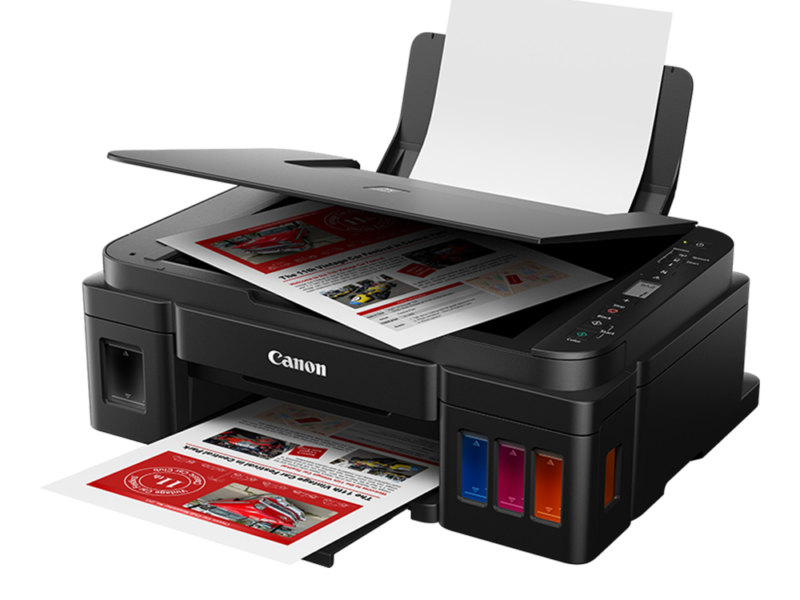
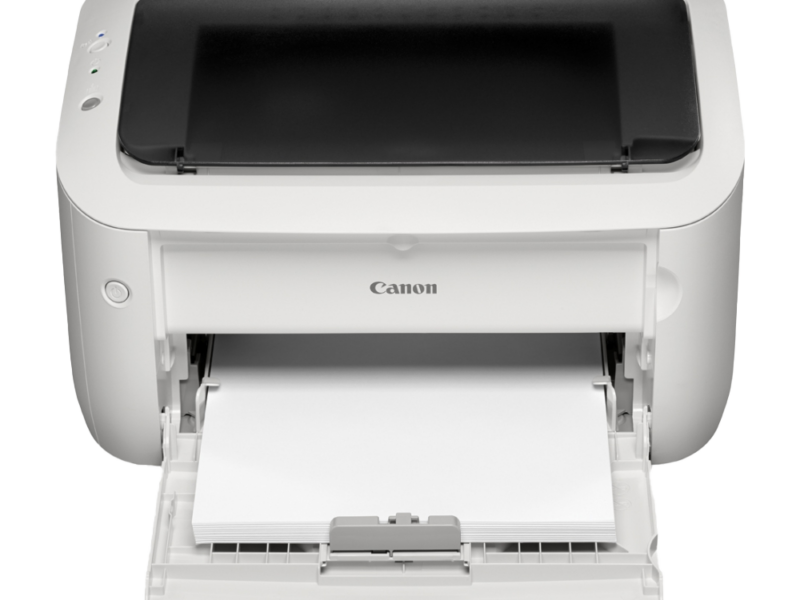
Canon Pixma G3020 3 in 1 Inkjet Printer
General Specifications
| Interface | USB Port:
Hi-Speed USB * Network Port: Wi-Fi: IEEE802.11n / IEEE802.11g / IEEE802.11b * A computer that complies with Hi-Speed USB standard is required. Since the Hi-Speed USB interface is fully upwardly compatible with USB 1.1, it can be used at USB 1.1.
USB and the network can be used at the same time. |
|---|---|
| Operating environment | Temperature: 41 to 95 °F (5 to 35 °C)
Humidity: 10 to 90 % RH (no condensation) * The performance of the printer may be reduced under certain temperature and humidity conditions. Recommended conditions: Temperature: 59 to 86 °F (15 to 30 °C) Humidity: 10 to 80 % RH (no condensation) * For the temperature and humidity conditions of papers such as photo paper, refer to the paper’s packaging or the supplied instructions. |
| Storage environment | Temperature: 32 to 104 °F (0 to 40 °C)
Humidity: 5 to 95 % RH (no condensation) |
| Power supply | AC 100-240 V, 50/60 Hz
(The supplied power cord is only for the country or region you purchased.) |
| Power consumption | Printing (Copy): 16 W or less *1
Standby (minimum): 0.6 W or less *1*2 Standby (all ports connected): 1.2 W or less OFF: 0.2 W or less *1 USB connection to a PC *2 The wait time for standby cannot be changed. |
| External dimensions (W x D x H) | Approx. 17.6 x 13 x 6.6 in. (Approx. 445 x 330 x 167 mm)
* With the trays retracted. |
| Weight | Approx. 14.1 lb (Approx. 6.4 kg)
* With the Print Head installed. |
Product description
Canon Pixma G3020 3 in 1 Inkjet Printer
Canon Pixma G3020 3 in 1 Inkjet Printer
Specifications
General Specifications
| Interface | USB Port:
Hi-Speed USB * Network Port: Wi-Fi: IEEE802.11n / IEEE802.11g / IEEE802.11b * A computer that complies with Hi-Speed USB standard is required. Since the Hi-Speed USB interface is fully upwardly compatible with USB 1.1, it can be used at USB 1.1.
USB and the network can be used at the same time. |
|---|---|
| Operating environment | Temperature: 41 to 95 °F (5 to 35 °C)
Humidity: 10 to 90 % RH (no condensation) * The performance of the printer may be reduced under certain temperature and humidity conditions. Recommended conditions: Temperature: 59 to 86 °F (15 to 30 °C) Humidity: 10 to 80 % RH (no condensation) * For the temperature and humidity conditions of papers such as photo paper, refer to the paper’s packaging or the supplied instructions. |
| Storage environment | Temperature: 32 to 104 °F (0 to 40 °C)
Humidity: 5 to 95 % RH (no condensation) |
| Power supply | AC 100-240 V, 50/60 Hz
(The supplied power cord is only for the country or region you purchased.) |
| Power consumption | Printing (Copy): 16 W or less *1
Standby (minimum): 0.6 W or less *1*2 Standby (all ports connected): 1.2 W or less OFF: 0.2 W or less *1 USB connection to a PC *2 The wait time for standby cannot be changed. |
| External dimensions (W x D x H) | Approx. 17.6 x 13 x 6.6 in. (Approx. 445 x 330 x 167 mm)
* With the trays retracted. |
| Weight | Approx. 14.1 lb (Approx. 6.4 kg)
* With the Print Head installed. |
Scan Specifications
| Scanner driver | Windows: TWAIN 1.9 Specification, WIA |
|---|---|
| Maximum scanning size | A4/Letter, 8.5 x 11.7 in. (216 x 297 mm) |
| Optical resolution (horizontal x vertical) | 600 x 1200 dpi *
* Optical Resolution represents the maximum sampling rate based on ISO 14473. |
| Gradation (Input / Output) | Gray: 16 bit/8 bit
Color: RGB each 16 bit/8 bit |
Network Specifications
| Communication protocol | SNMP, HTTP, TCP/IP (IPv4/IPv6) |
|---|---|
| Wi-Fi | Supported Standards: IEEE802.11n / IEEE802.11g / IEEE802.11b
Frequency bandwidth: 2.4 GHz Channel: 1-11 or 1-13 * Frequency bandwidth and available channels differ depending on country or region. Communication distance: Indoors 164 feet/50 m * Effective range varies depending on the installation environment and location. Security: WEP (64/128 bits) WPA-PSK (TKIP/AES) WPA2-PSK (TKIP/AES) Setup: WPS (Push button configuration/PIN code method) Easy wireless connect |
Minimum System Requirements
Conform to the operating system’s requirements when higher than those given here.
Windows
| Operating System | Windows 10, Windows 8.1, Windows 7 SP1
Note: Operation can only be guaranteed on a PC with pre-installed Windows 7 or later. Printer driver and IJ Printer Assistant Tool support the following OS: Windows Server 2008 R2 SP1, Windows Server 2012 R2, Windows Server 2016 and Windows Server 2019. |
|---|---|
| Amount of hard disk space required for installing the driver | 1.5 GB or more
The necessary amount of hard disk space may be changed without notice. |
macOS
| Operating System | macOS 10.12.6 – macOS 10.15 |
|---|
Other Supported OS
| iOS, iPadOS, Android, Chrome OS
Some functions may not be available with the supported OS. Refer to the Canon web site for details. |
Canon Pixma G3020 3 in 1 Inkjet Printer price in Pakistan
Canon Pixma G3020 3 in 1 Inkjet Printer is listed by autoplay.com.pk at Rs. 60,000. It is in stock as of October 25, 2026. Browse more Canon products to compare prices.